

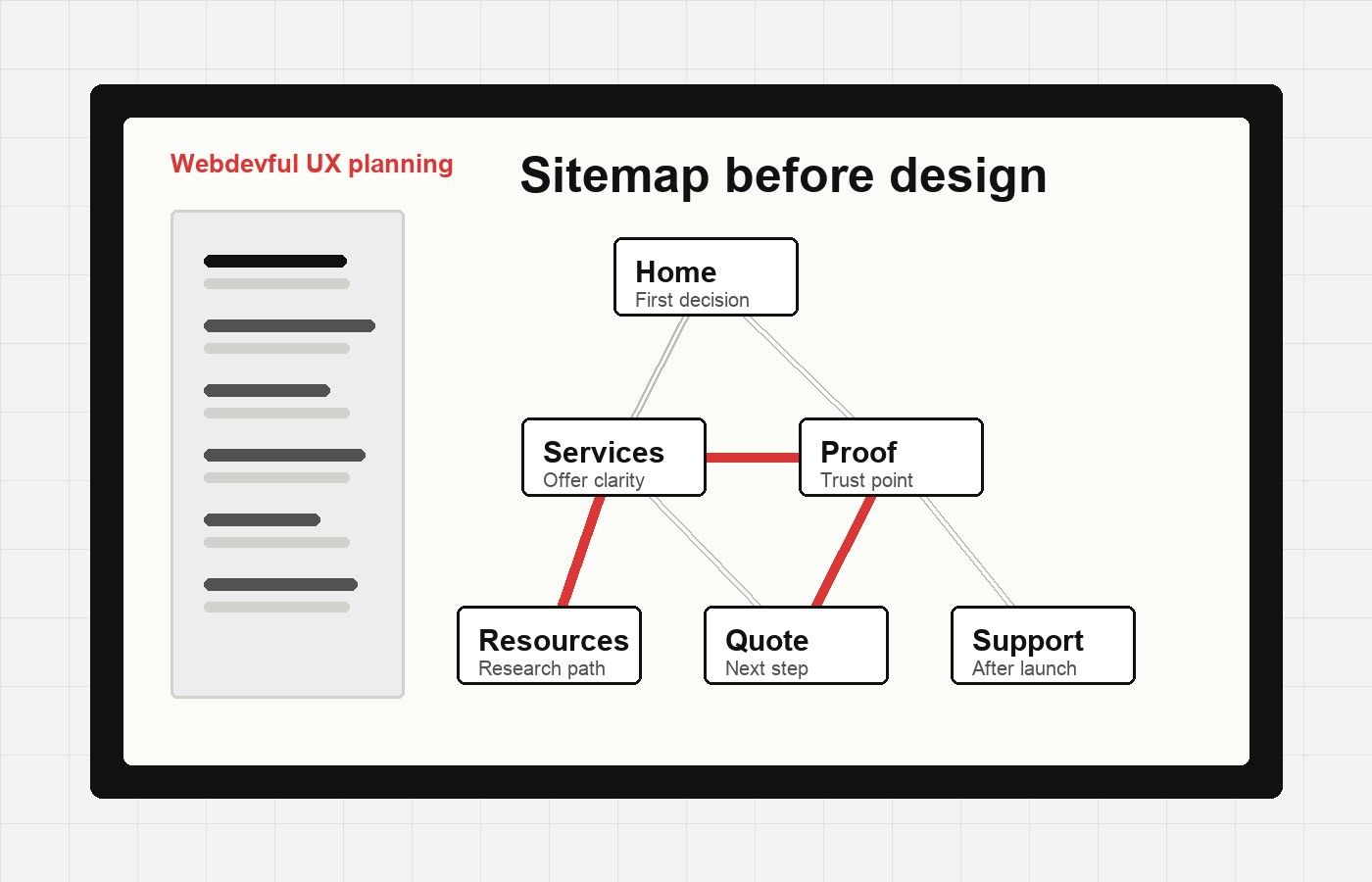
A UX sitemap is the planning map for a website. It shows the pages that need to exist, how they relate to each other, and how a visitor should move from one decision to the next.
For a small business, that matters before a designer touches a hero section or a developer starts building routes. Most website confusion begins earlier than the visual design. The offer is split across too many pages. The service names are written for the company instead of the customer. Important proof sits three clicks away from the page where doubt appears. A sitemap helps catch those problems while they are still cheap to fix.
The useful version is not a decorative diagram. It is a working decision tool.
What A UX Sitemap Does
A UX sitemap organizes the website around customer paths. It answers questions like:
- What pages does this business actually need?
- Which pages belong in the main navigation?
- Which pages should support a service, product, or contact path?
- Where does proof belong?
- What should a visitor understand before they are asked to fill out a form?
That makes it different from an XML sitemap. An XML sitemap helps search engines discover URLs. A UX sitemap helps people understand the site. A good website usually needs both, but they solve different problems.
Start With A Content Inventory
Before designing the future site, list what already exists. Include live pages, drafts, offers, forms, videos, FAQs, case studies, testimonials, location pages, pricing notes, and any content that currently lives in PDFs or sales decks.
Then mark each item with a simple status:
- Keep
- Combine
- Rewrite
- Archive
- Create
This prevents the common small-business redesign problem where old content gets copied into a new layout without anyone deciding whether it still helps.
The inventory also shows gaps. If a business wants more quote requests but has no page explaining the process, timeline, price range, or proof, the sitemap should make that missing page visible.
Connect Pages To Business Goals And User Needs
A sitemap should not be only a list of URLs. Every major page should support both a business goal and a customer need.
For example:
- A service page helps the business explain an offer and helps the visitor decide whether the service fits their problem.
- A case study helps the business show proof and helps the visitor reduce risk.
- A contact page helps the business receive qualified inquiries and helps the visitor understand what happens after they reach out.
If a page does not support either side, it may not need to be a primary page. It may belong as a section, FAQ, blog post, or supporting resource instead.
Choose Flat Or Deep Navigation
Small sites usually benefit from a flatter sitemap. If the visitor only needs five or six main decisions, do not bury them behind layers of dropdowns.
A deeper sitemap can make sense when the business has many services, locations, audiences, or resources. The risk is that every extra level adds a decision. If a visitor has to guess whether “Solutions,” “Services,” or “Capabilities” contains the thing they need, the sitemap is creating work.
Use this rule of thumb: make the structure as shallow as it can be while still keeping pages specific enough to be useful.
Separate Primary And Supporting Pages
Primary pages belong in the main path: home, services, selected service detail pages, work or proof, about, blog or resources, and contact.
Supporting pages help the visitor decide but do not always need top-level navigation. These might include FAQs, process notes, industry pages, comparison pages, pricing guidance, policy pages, downloadable resources, and deeper articles.
The sitemap should show that relationship. A proof page can support a service page. A launch checklist can support a quote page. A blog post can support a category, which supports an owner who is still researching.
This is where a sitemap becomes more than organization. It becomes strategy.
Trace The Customer Paths
Once the pages are grouped, walk through real scenarios.
Imagine a visitor who:
- Lands on a service page from Google
- Comes from a referral and wants proof
- Reads a blog post before they trust the company
- Needs a quote but is not ready for a call
- Is comparing two providers on a phone
For each scenario, ask what the visitor should see next. If the only answer is “go back to the main menu,” the page needs a clearer path.
Good internal links, related articles, inline proof, and specific CTAs often come from this step.
Test Before Design Locks It In
A sitemap is easiest to change before the site becomes a full visual design. Test it with a few simple prompts:
- Where would you go to understand pricing?
- Where would you go to see examples?
- Where would you go if you needed support after launch?
- Which service page sounds closest to your problem?
- What would you click if you were ready to talk?
If people hesitate or choose different paths than expected, the sitemap is doing its job. It is revealing confusion early.
The Webdevful Take
A UX sitemap gives a small business a calmer website build. It turns scattered content into a plan, turns navigation into a customer path, and turns “we need a better site” into specific page decisions.
Start with the content. Connect each page to a goal. Keep navigation plain. Put proof near the decision it supports. Test the path before the build hardens.
That is how a sitemap becomes useful: not as a pretty planning artifact, but as the first version of a website customers can actually understand.
Deep resource
Knowledge Center Assets
UX Sitemap Planning Checklist
- List every current and planned page before changing navigation labels.
- Group pages around customer tasks, not internal departments.
- Choose a flat or deeper structure based on how much content the customer must compare.
- Trace the main customer paths from entry page to contact, quote, booking, or purchase.
- Test the sitemap with real scenarios before design or development locks it in.
Research And Further Reading
- Interaction Design Foundation: What is a Sitemap in UX Design?Source research
Source article captured for WPBS intake and used as research for this Webdevful-owned adaptation.
- Google Search Central: Sitemaps OverviewSearch reference
Explains XML sitemaps for crawling and indexing, which is separate from but related to UX sitemap planning.
- W3C WAI: MenusAccessibility reference
Supports practical navigation decisions so menu structures remain usable for more visitors.